I have been building products for nearly half my life, and one lesson keeps coming back: making something work is not the same as making it easy to use.
Most products are complicated behind the scenes. That is fine. The problem starts when that complexity becomes homework for the user.
The product should handle the complicated parts so the user can focus on what they came to do.
I have wanted to use Linux as my main operating system for years. I work with cloud infrastructure and spend plenty of time in terminals, so the technical side is not what keeps me away. The experience does.
macOS still wins for me because the whole ecosystem feels considered. The hardware looks and feels premium. The packaging, operating system, applications, support, and the way everything works together feel like parts of the same product.
I want an open contender that cares just as much about craft. Most people should never need to configure it or even know that they can. The people who care will find a way.
Apple owns the whole experience
Think about connecting AirPods. Bluetooth is not simple. There are pairing modes, device lists, connections, and plenty of ways for it to fail. With AirPods, you open the case near your iPhone and tap Connect. Once they are connected, they are also available on your other Apple devices.
The technology is still complicated. Apple just does not make you deal with most of it.
Apple can do this because it controls so much of the experience. That also has downsides. It can lock people into the ecosystem and limit their choices. I am not saying every company should copy Apple. The part worth copying is how much responsibility Apple takes for the final experience.
The goal is not to copy the macOS interface. It is to build devices, operating systems, and applications that feel like parts of one product, while keeping the system open for the people who want more control.
SteamOS shows Linux can do this
SteamOS is based on Arch Linux, but someone buying a Steam Deck does not need to know that. They turn it on, sign in, and play games. Valve handles updates, drivers, game compatibility, and the interface around it.
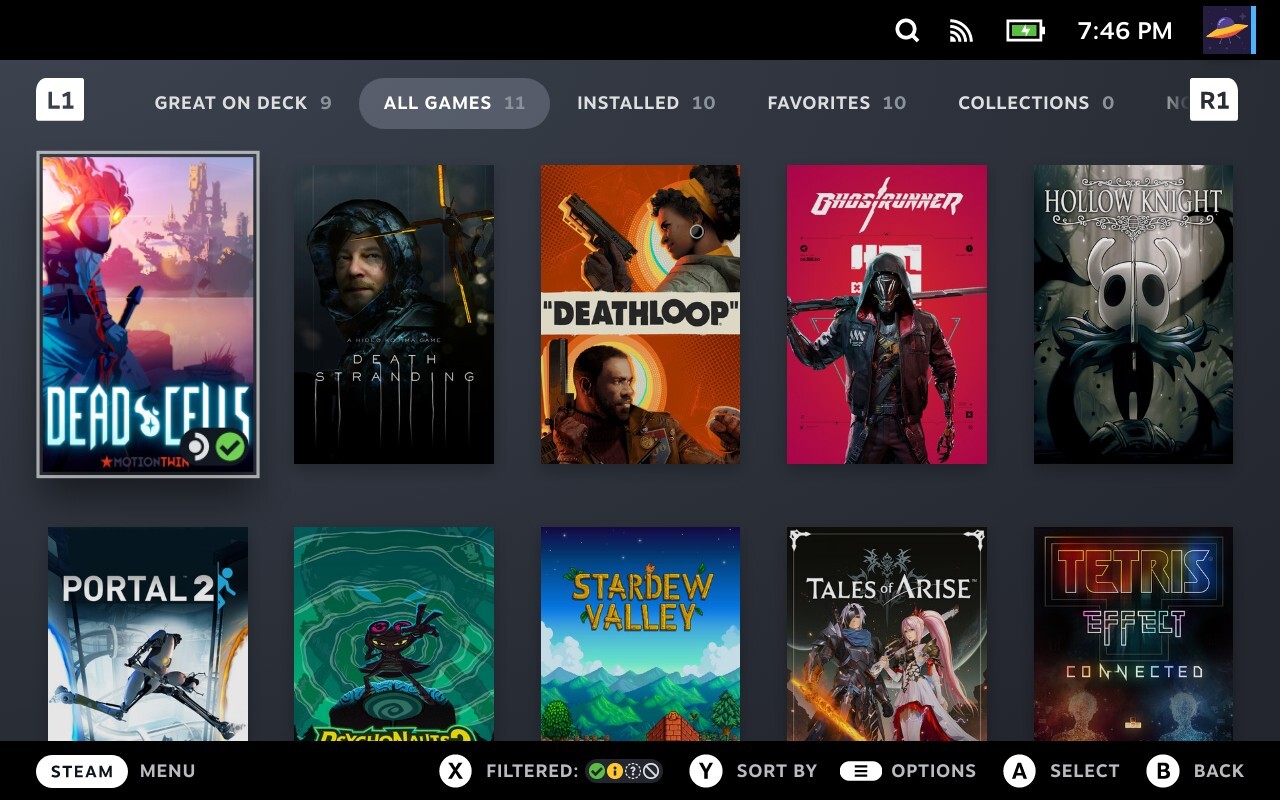
The Linux desktop is available through Desktop Mode, but it is not the starting point. Outside the Steam interface, it is a fairly standard Linux desktop. Most people never need to enter it. Those who want more control can.
SteamOS shows that Linux can sit behind a curated experience without giving up openness. It makes me wonder whether the same idea could work for the rest of the computer.
Could Omarchy become that?
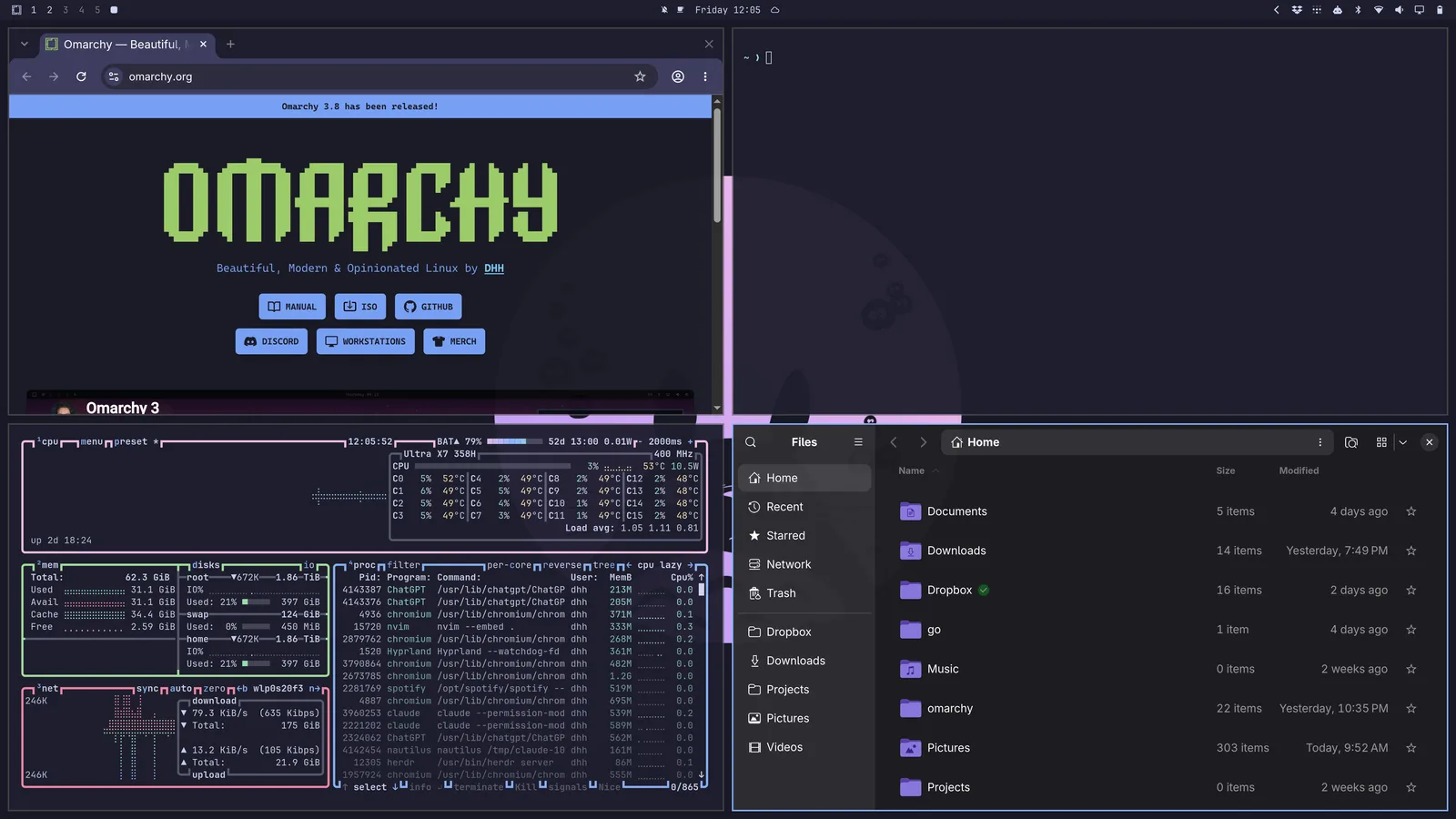
That is why Omarchy has caught my attention. It calls itself an "omakase" Linux distribution and makes clear choices about how your computer should look, which tools it includes, and how you should use it.
Could it become a real contender to the Apple ecosystem?
That depends on who those choices are for. Omarchy describes itself as TUI-heavy and asks users to "embrace the Linux-ness of it all." For software engineers and system administrators, that can be awesome.
For people coming from Windows or macOS, the terminal may feel too central to the default experience. It can stay, but everyday tasks need a clear visual path: installing applications, changing settings, updating the system, and fixing common problems.
Application support matters just as much. Imagine someone choosing Omarchy because they want to try something new. They like what they see, then discover that some of the tools they rely on are unavailable or difficult to run. They leave. A polished desktop and thoughtful bundled tools may not be enough if people have to rebuild their workflow to use it.
With the newly funded Omacom Foundation, I think Omarchy has a real shot at reaching a wider audience. That means investing in the ecosystem around it, not only the operating system: working with application developers, improving compatibility, and providing good alternatives. You cannot support everything, but the gaps should be product decisions, not surprises.
I already like Omarchy's approach to defaults. It comes with modern tools installed and configured, so people begin with a complete system instead of assembling one themselves. That is the balance I want: an open system that works out of the box and remains configurable for the people who care.
Users should be changing the default experience, not finishing it themselves. Marketing may convince people to try Linux, but that experience will decide whether they stay.
Making cloud infrastructure feel simple
At Tembo, I think about the same question when we present cloud infrastructure. It is complex by nature, but users should not need to become infrastructure experts to run coding agents in the cloud.
People at the same technology company can have very different areas of expertise. Frontend engineers, product managers, and people who do not write code should all be able to use the product without becoming cloud infrastructure experts.
We can put that complexity behind a familiar concept: a project, where Git repositories, environments, settings, and the context around them live together.
Behind the scenes, we might use virtual machines, warm pools, snapshots, and different machine sizes. Those details make the project work. They do not need to become user decisions.
This works for people with or without that background. Most people can ignore the details, while those who need more control can find them in advanced settings.
Google Drive and iCloud work the same way. You work with files and folders without knowing where they are stored, how many copies exist, or how failures are handled.
Simplifying a product does not mean hiding the consequences. The user may not need to understand the machine running their project, but they should know if an option costs more, takes longer, or risks losing work. We can hide how it works without hiding what it means for them.
The details matter
"500 Internal Server Error" says something failed but not what happens next. A useful error tells the user what happened, whether their work is safe, and what they can do.
"We couldn't publish your changes. Your draft is saved. Try again."
Only say that if the draft is actually saved, and only suggest trying again if it might work. If the problem is on our side, say so.
Ask for permissions when they make sense. Request camera access when someone chooses to take a photo, not when they first open the app.
Products also ask "Are you sure?" too often. If an action is easy to undo, offer Undo instead. Save confirmation screens for actions that are difficult to reverse.
A spinner without context tells the user almost nothing. A good long-running agent reports its progress and says whether they can leave and come back later.
These decisions often depend on engineering, not just copy. We can only promise that a draft is safe if the product has autosave, offer Undo if the system keeps deleted data, and show progress if the backend reports it. A simpler interface often requires a more capable system.
Sometimes the answer is not to explain the concept more clearly. It is to build the product so the user never has to think about it at all.
Deciding what the product should handle
Whether I am thinking about an operating system, an error message, or cloud infrastructure, I come back to the same questions:
- Who is this for, and what can we expect them to understand?
- What are they actually trying to do?
- What must they understand before they can do it?
- Which decisions can the product make for them?
- Which consequences, such as cost, time, or risk, do they need to understand?
- Can advanced options wait until they ask for them?
- Can someone outside our area of expertise use it without our help?
We also need to look beyond the perfect case: no data, slow work, lost connections, denied permissions, limits, and mistakes. The product should explain what is happening and what to do next.
These are all versions of the same question: which complexity belongs to the user, and which should the product handle?
This is not a step that comes after engineering. It helps decide what we build, which choices we expose, and what the product should handle.
That is what it would take for a product built on Linux to become a real alternative to Apple for me: hardware and packaging that feel premium, applications that work well together, and a complete experience I can change without having to finish it myself.
The work is not done when the feature works. It is done when the person it was built for can use it without first learning how we built it.